Learn & play
How to play PostitGuess with pictures
Use a ready-to-play photo collection or make the round personal with your own pictures. The guessing rules stay familiar; the card above each avatar changes.
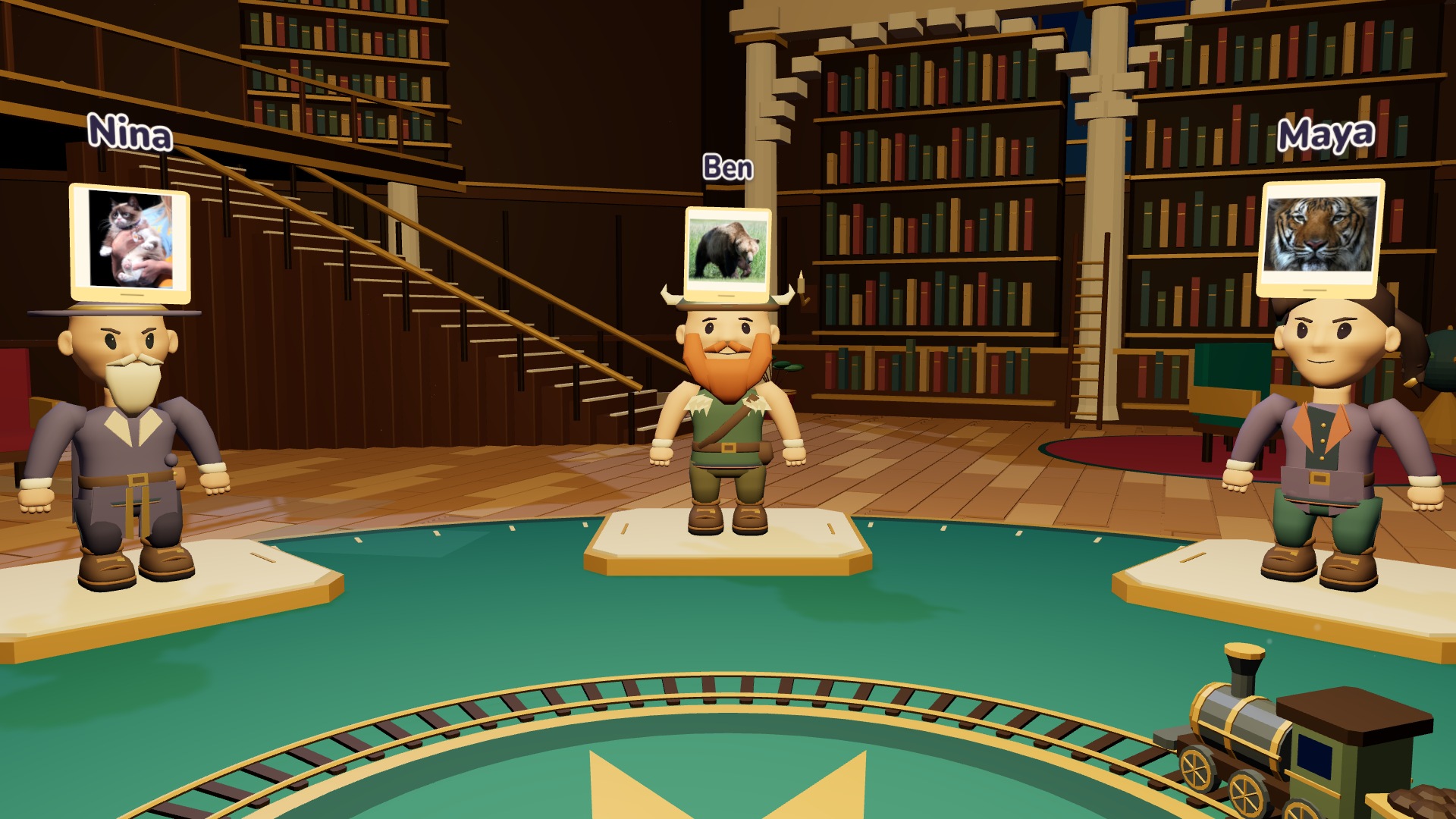
Choose the identity format first
Create a room for two to eight friends and find Guess with in the Game panel. Names uses written identities. Images puts a picture card above each avatar instead. You still ask yes-or-no questions and type a guess when you think you know the answer; you do not draw a picture or describe your own card.
The local player's picture is kept secret until a successful guess. Friends see it and answer questions about it. This works with the Overview camera as well as My POV, so choose whichever view makes the group easiest to follow. If you want a face-focused first round, see our online face-guessing ideas.
Use ready-to-play photos with Theme
Select Theme and Images, then pick an available photo category. The host can change this in the lobby too. Only supported categories appear for image gameplay; categories without a suitable official photo collection remain available for written names.
The game assigns curated licensed photos from its own collection. “Ready-to-play” means nobody has to upload a file, not that an AI creates a new face. Choose a category the whole group knows, invite your friends and let the host start when everybody has joined. Images are loaded from PostitGuess, without visiting an external image search during the round.
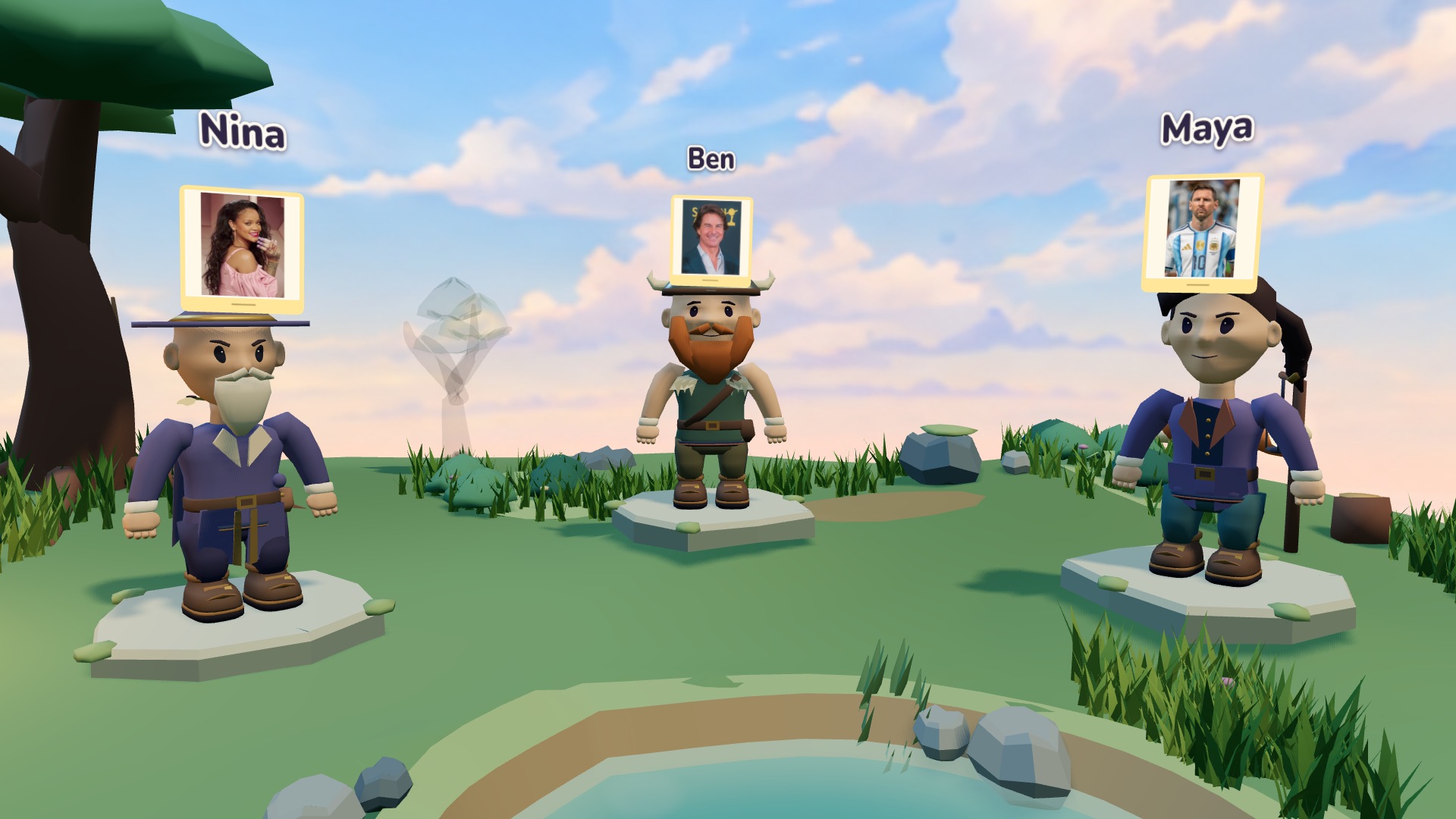
Upload your own picture with Manual
Select Manual and Images. In the lobby, choose or drop a picture for the friend indicated by the assignment. Use a still JPEG, PNG or WebP file up to 5 MB. The picture must fit within 4096 by 4096 pixels. A clear subject is more useful than a huge or crowded photograph.
Wait for the image-ready message, then enter the secret answer and confirm. Answers can contain up to 20 characters. A portrait might use a person's first name; a pet might use its familiar name. Tell the group the kind of answer you expect before the round, without revealing anybody's assignment.
Check the assignment before starting
You can replace your picture before play. A replacement needs confirmation again, so an old ready mark cannot silently start a different assignment. The host starts only once every required image and answer is ready. If the host changes the identity format or changes who receives each assignment, check your submission again.
If an upload fails, try a smaller still image in one of the supported formats. Renaming a file does not convert it. Use the preview to check the subject, and do not put the answer in a visible chat message. Our general game instructions cover the rest of the lobby flow.
Play a round the whole group can solve
Start broad: am I a person, am I real, or do we know each other? Ask one question at a time, note the answers and move towards a specific guess. Your friends can answer about the image, the identity or an agreed shared memory. Decide those limits together rather than changing them halfway through a turn.
Choose images you have permission to share. Avoid private screenshots or a friend's face they have not agreed to use. Uploaded pictures are processed for the game and kept temporarily; they are not a permanent photo album. An image that makes one person uncomfortable is not a better puzzle.
Reveal, download and play again
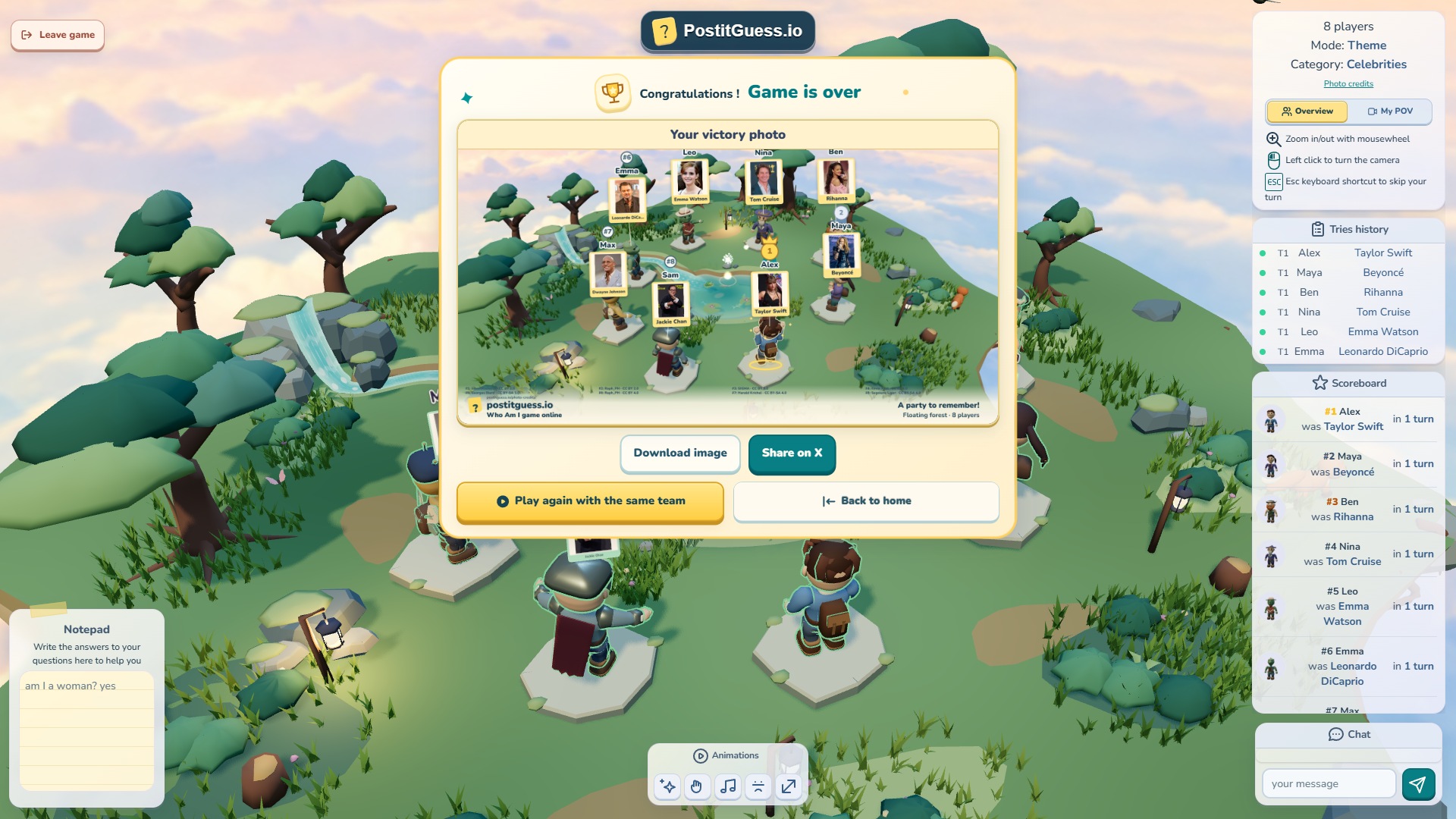
A successful guess reveals your identity. At the end, the victory photo shows picture cards for image games and written notes for name games. It includes the players, map and ranking, so you can save the result without losing the visual theme of the round.
Play Again keeps the team together while resetting the next round's assignments. You can switch back to Names or choose another photo setup. Chaos uses written names only. For the next session, explore theme ideas and choose the format that suits your friends.